Revy Autos
Improving usability for mobile users onboarding to an AI-powered car marketplace platform.
Duration
2025 July–August
Internship
Pvragon
Services
#
UX Design
#
Mobile-first
#
Design Systems
Challenge
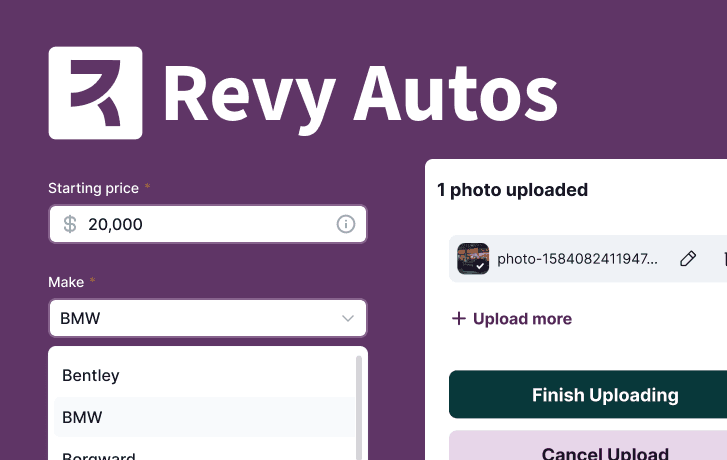
As a summer design intern at a small design firm, I was embedded on their largest active project: an online platform for buying and selling cars. As the first team member with formal HCI training, I was initially tasked with a full audit of the app covering ADA compliance and UI quality — setting the foundation for my work that followed.
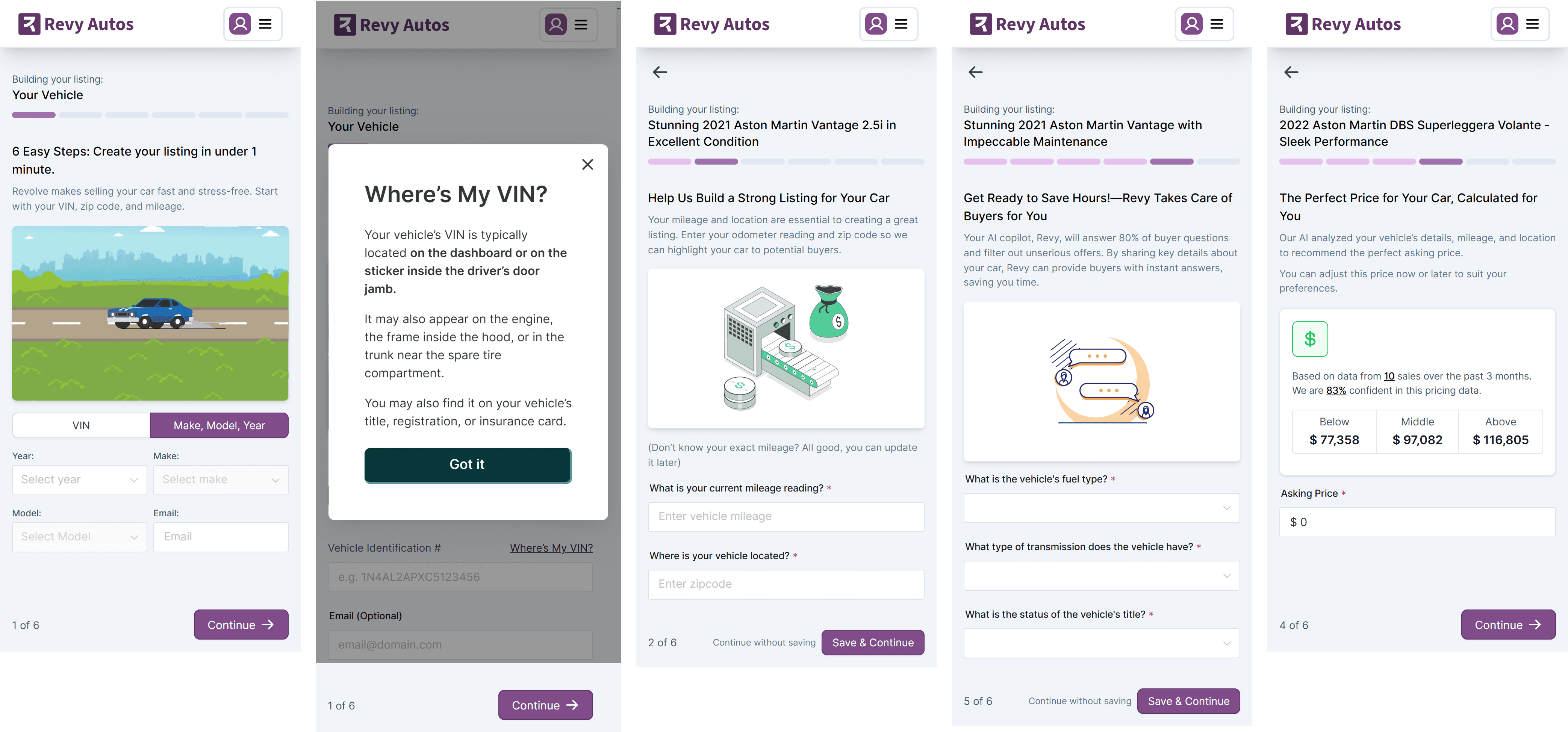
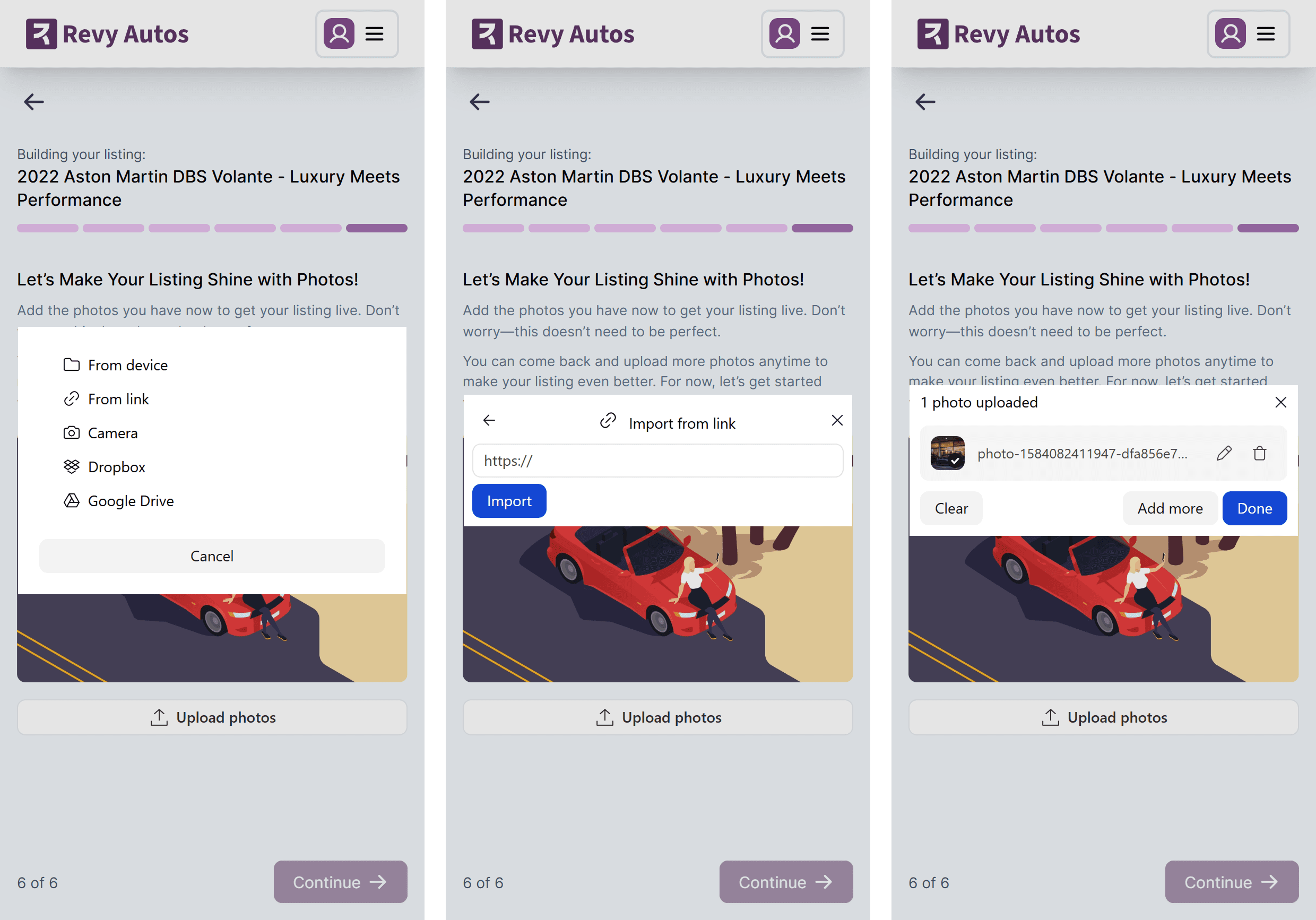
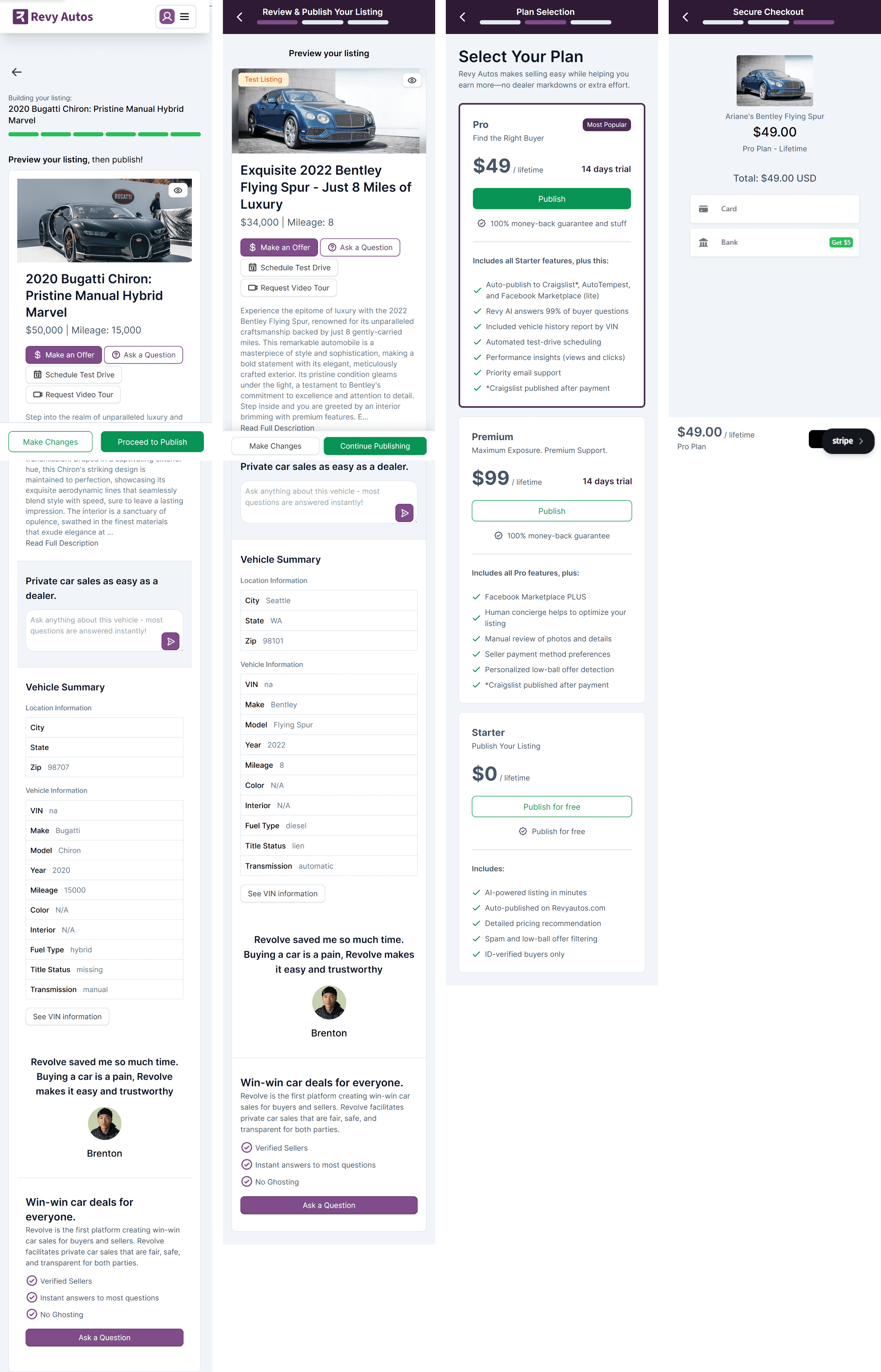
Click images to enlarge. (Left) Screenshots of the existing onboarding process before I was assigned to audit it. (Middle) A feature to "Add Photos" in the middle of the onboarding process visually stood out from the rest of the platform's design. (Right) Additional steps to publish the listing after the onboarding process often disoriented users.
Process
Audit & discovery
I conducted the audit across browsers and devices, which surfaced both design inconsistencies and a functional bug: dropdowns in the mobile onboarding flow were broken on Android. While the dev team investigated, I moved into designing solutions for the pain points I'd documented.
The project manager's priority was clear — mobile was the primary access point for users, and the onboarding flow needed the most attention. That focus, combined with the Android bug I'd already flagged, shaped my main workstream.
In parallel, I was asked to clean up the Figma master file and establish a component system. Working through the file, I found inconsistent button designs across the platform. I brought this to the senior designer, and together we consolidated a unified button system — which we incorporated into the onboarding mockups to demonstrate the design in context.
Onboarding redesign
After analyzing the existing mobile flow, I proposed several usability improvements. The most significant changes were anchoring navigation controls to the bottom of the viewport for easier thumb access, limiting listing title generation to the end of the flow rather than triggering it on every step, removing an informational screen that required no user input, and eliminating a "Continue without saving" option that usage patterns showed was rarely tapped.
One less obvious but considered change: updating the step indicators at the start of the publishing process to make clear that while onboarding is complete, the listing hasn't yet gone live. This kept the two phases distinct while reassuring users that their original intent — posting the listing — was still in progress.
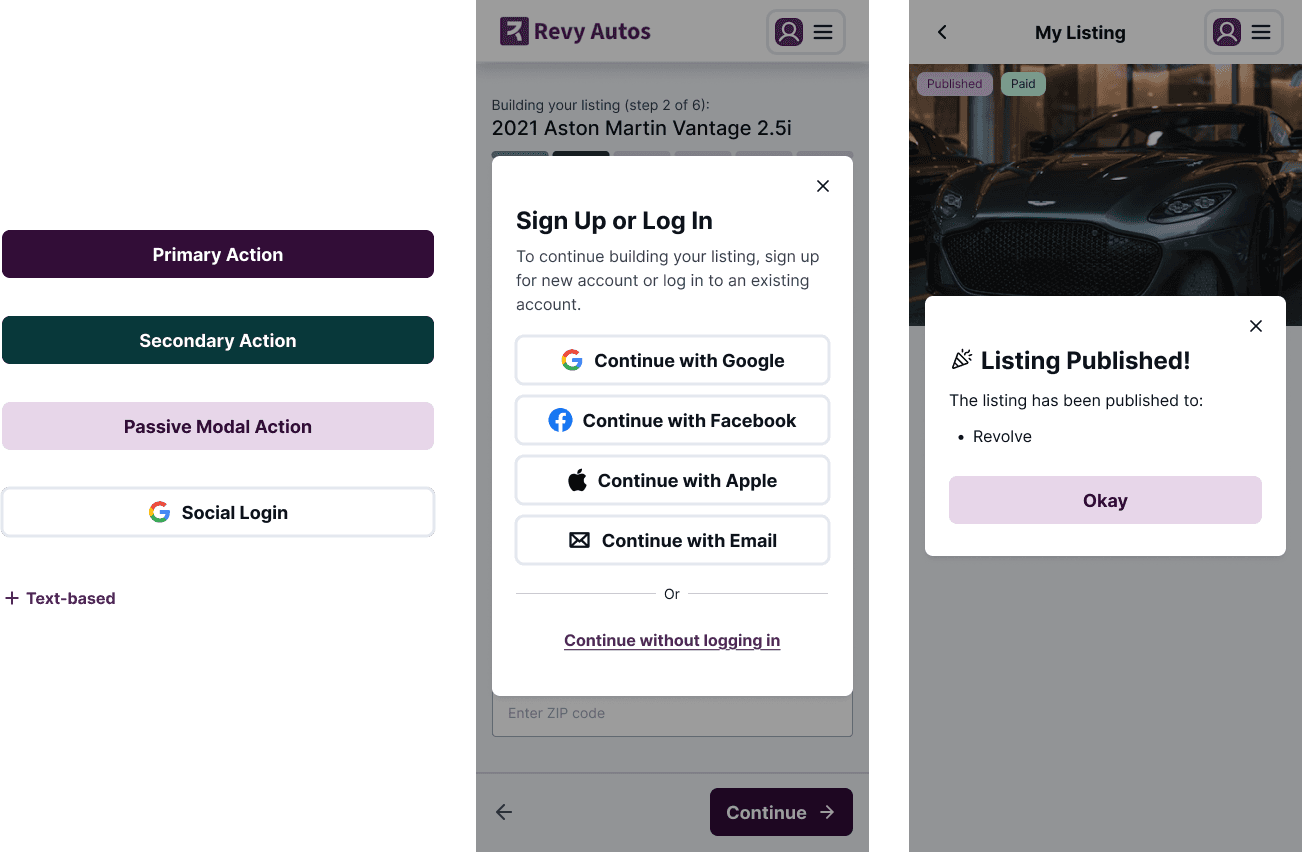
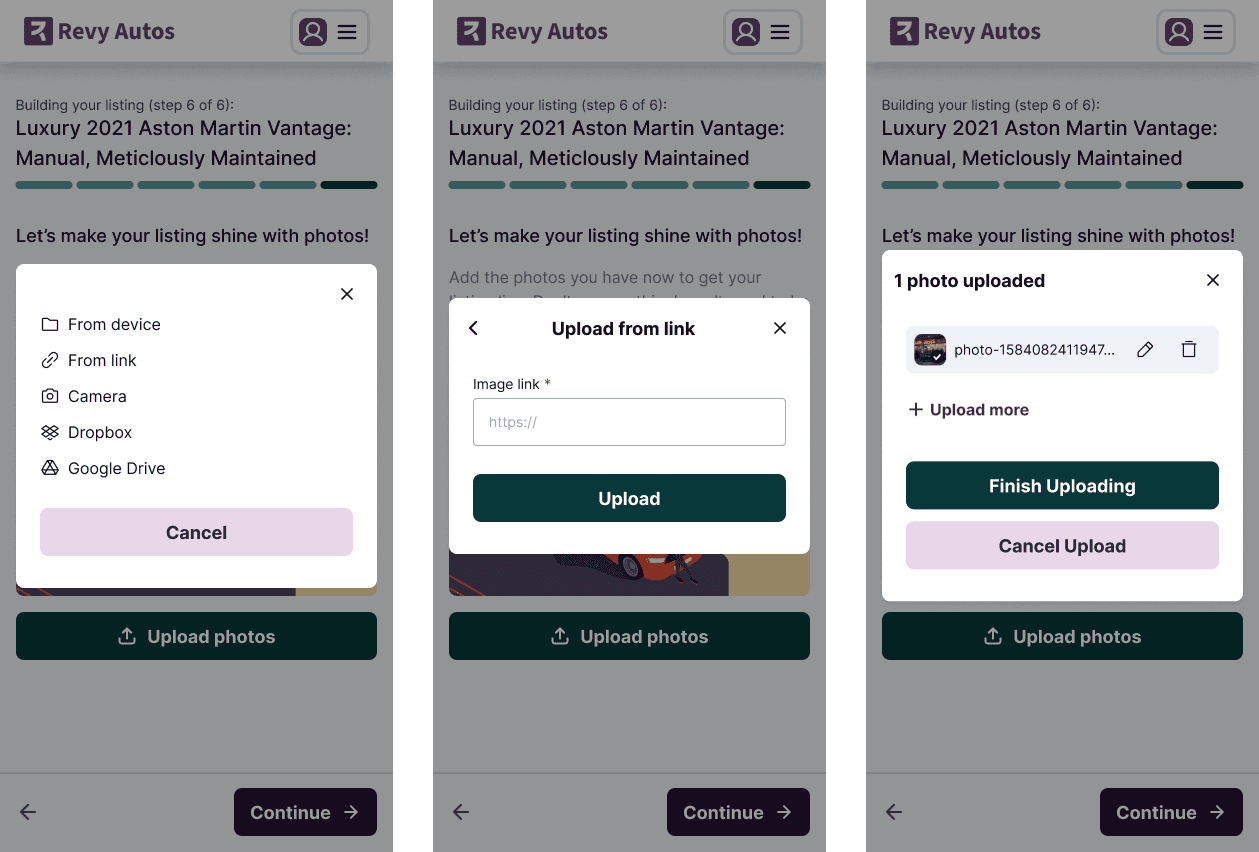
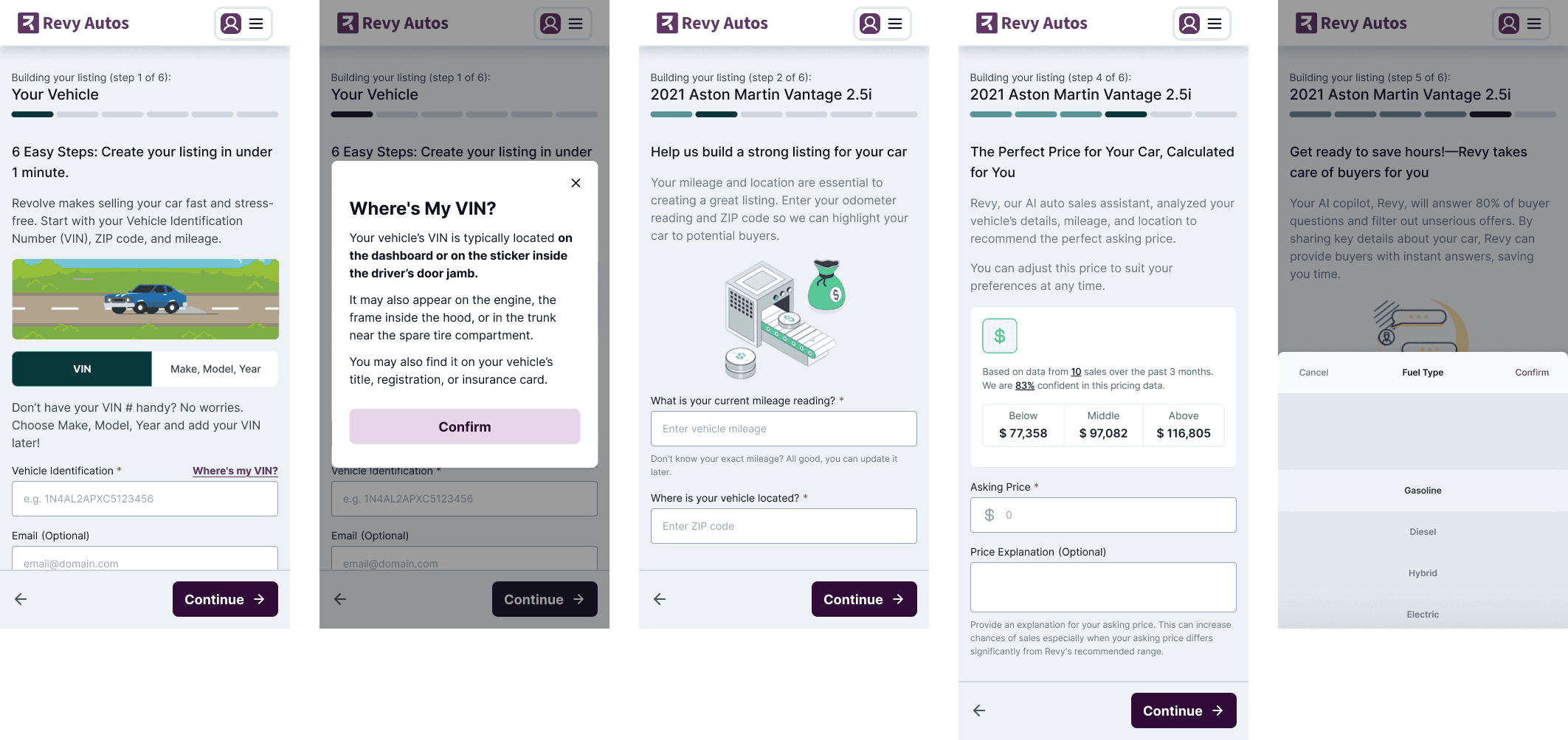
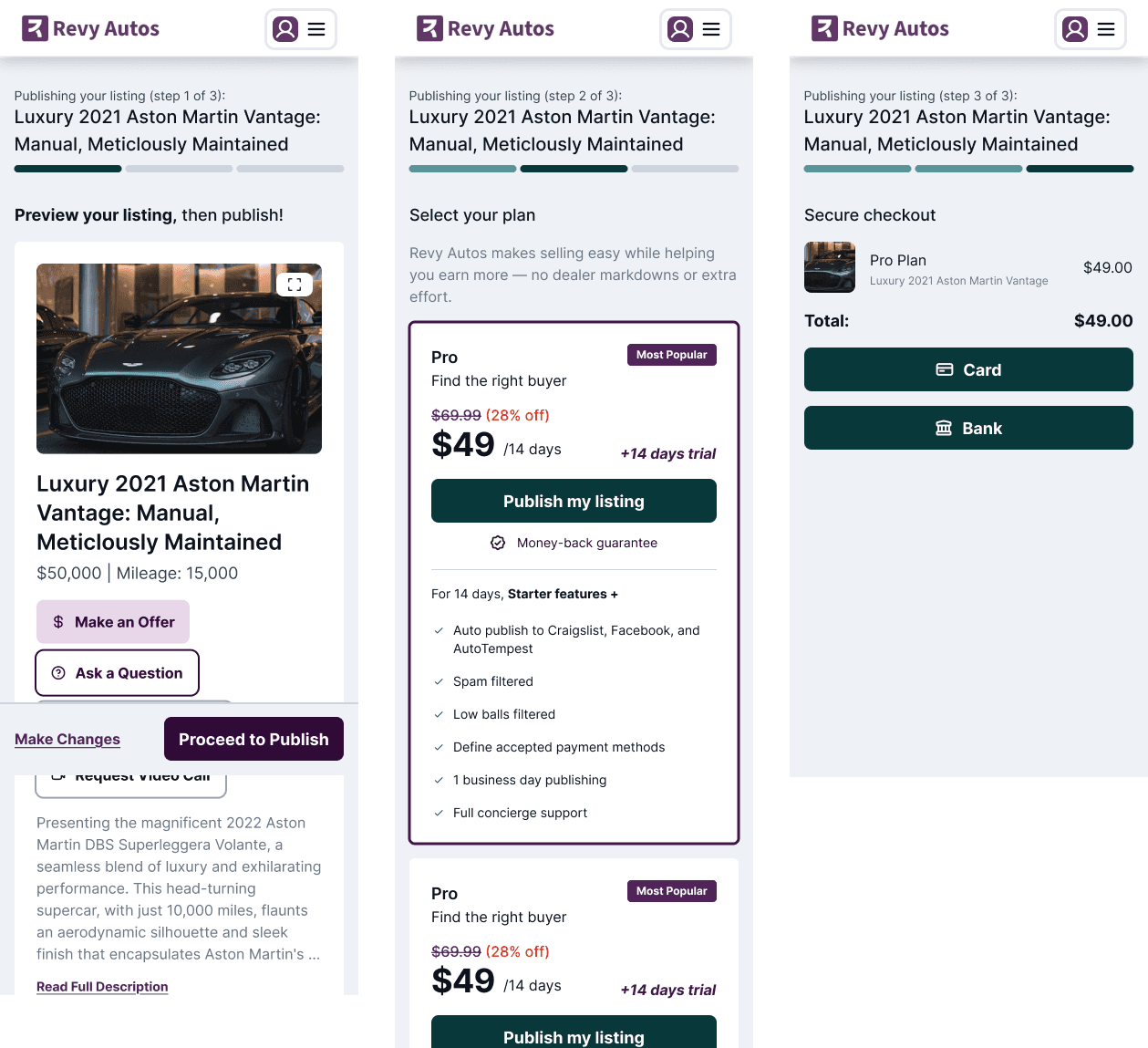
Click images to enlarge. (Upper left) Unified buttons and modal designs drove consistency for an improved design library. (Upper right) The improved mobile onboarding flow is visually uniform and provides a smoother experience for mobile users. (Lower left) The "Add Photos" feature is redesigned to fit the rest of the platform. (Lower right) The publish listing flow continues the onboarding flow with clearer step indicators.
Result
The usability proposals were accepted and moved into development. The button redesign met resistance from the marketing lead, who felt the dev team should prioritize functionality — a reasonable position given the startup's stage, even if it undervalued the compounding cost of design inconsistency. It was an early and useful lesson in navigating stakeholder dynamics and advocating for design within real constraints.
My manager noted that I contributed meaningfully in a short time, particularly in the thoroughness of the audit.